
Mac workbench · Free iPhone companion
Other Memory
A file-first Zettelkasten for turning scattered reading and fleeting ideas into a durable, navigable body of thought.
Other Memory is built around a simple premise: notes become more useful when their place, neighbours, sources, and deliberate connections remain visible. It treats the box as an authored thinking environment—not a folder of documents and not an automatically generated cloud of backlinks.
Its historical model is the working system Niklas Luhmann built and used over a lifetime. Other Memory tries to reproduce that Zettelkasten’s intellectual function: durable addresses, branching Folgezettel placement, authored cross-references, source apparatus, deliberate entry points, and repeated return—not the incidental irregularities of one person’s handwriting or paper slips. The digital vault remains reversible: it can be exported as a printable reconstruction of the Main Box, Index, references, images, and source stacks, then filed and continued as a working paper Zettelkasten without depending on the application.
On the Mac, the main workbench keeps search, the active card, and working context in view. New captures are placed deliberately under or beside an existing thought; indexes, maps, bibliography tools, and pins provide different routes back into the same collection of plain Markdown files.
The free iPhone companion handles the work that belongs away from the desk: capture an idea, begin a source-bound literature note, search the Kasten, and read through authored links. It complements the desktop workbench instead of compressing it into a phone-sized imitation.


Why two ravens?
Huginn · Thought goes outward through reading, observation, and connection. Muninn · Memory carries something back. The Zettelkasten is their place of return: where experience becomes durable, addressable, related, and ready to meet thought again.
The ravens are Other Memory’s own symbol. The historical link to Luhmann is the name: his Zweitgedächtnis, or “second memory.”
A two-minute introduction
See one thought become part of a living structure.
Follow a passage from a physical book through capture, formulation, deliberate placement, and the return of an older connection—the point where separate notes begin to become an argument.
2 min 21 sec · U.S. English captions available
The desktop workbench
Work inside the structure, not around it.
Other Memory keeps the Zettelkasten’s addresses, branches, sources, and authored routes present while you work. The same files remain legible outside the application.
Find and work
The card stays at the centre.
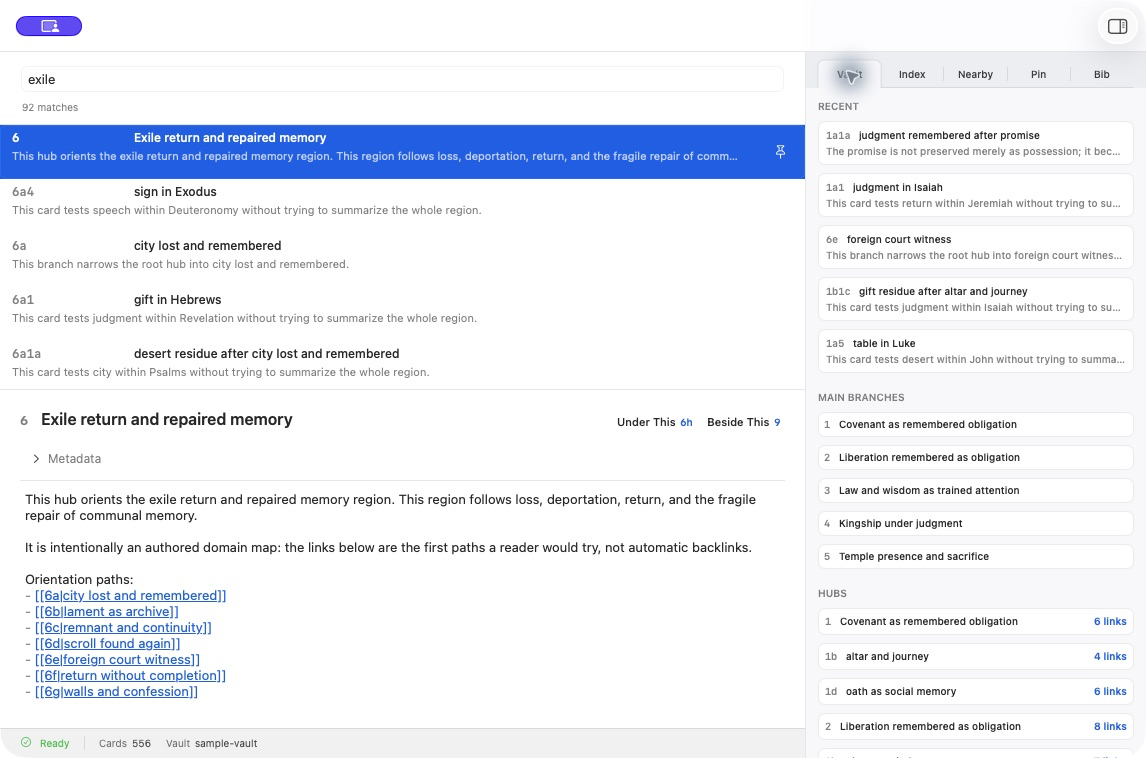
Main workbench
Search the whole box, read or edit the active card, and keep useful branches and hubs in view. The permanent card remains at the centre of the desktop workspace.
Preserve the method
Give each thought an intellectual place.
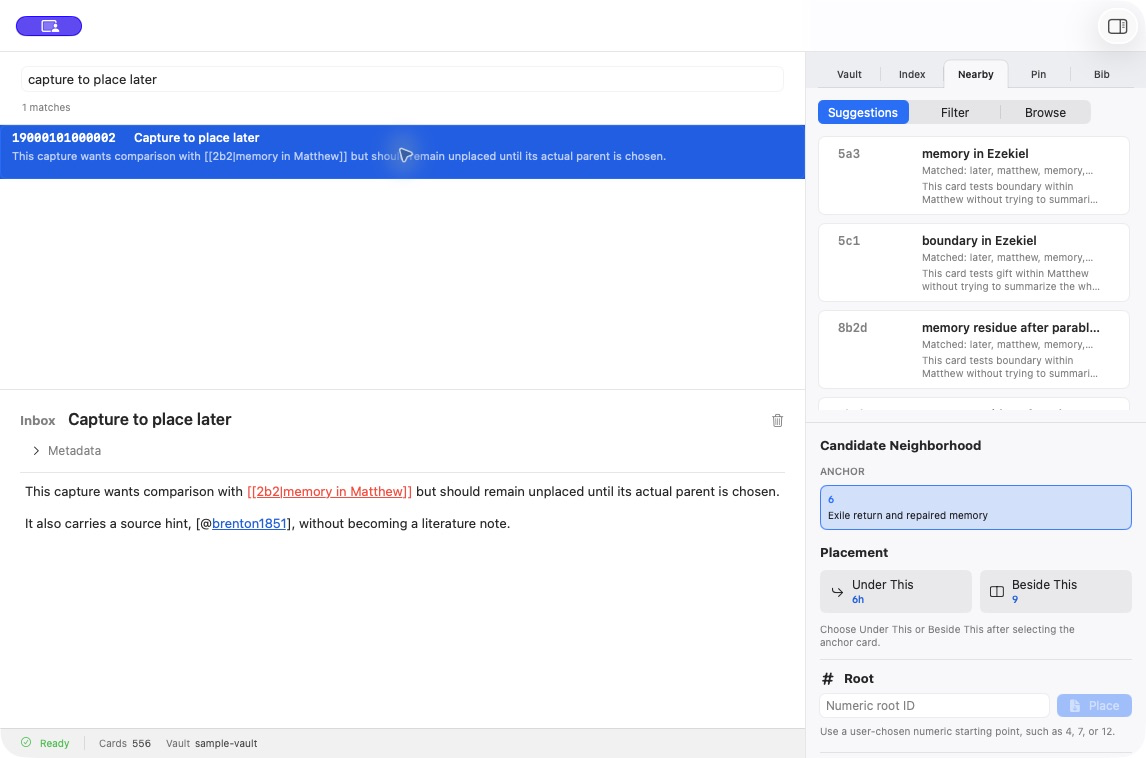
Method-aware placement
Turn an inbox note into a permanent Zettel by choosing its intellectual parent. Place it Under This, Beside This, or at a new numeric root with the surrounding neighbourhood visible.
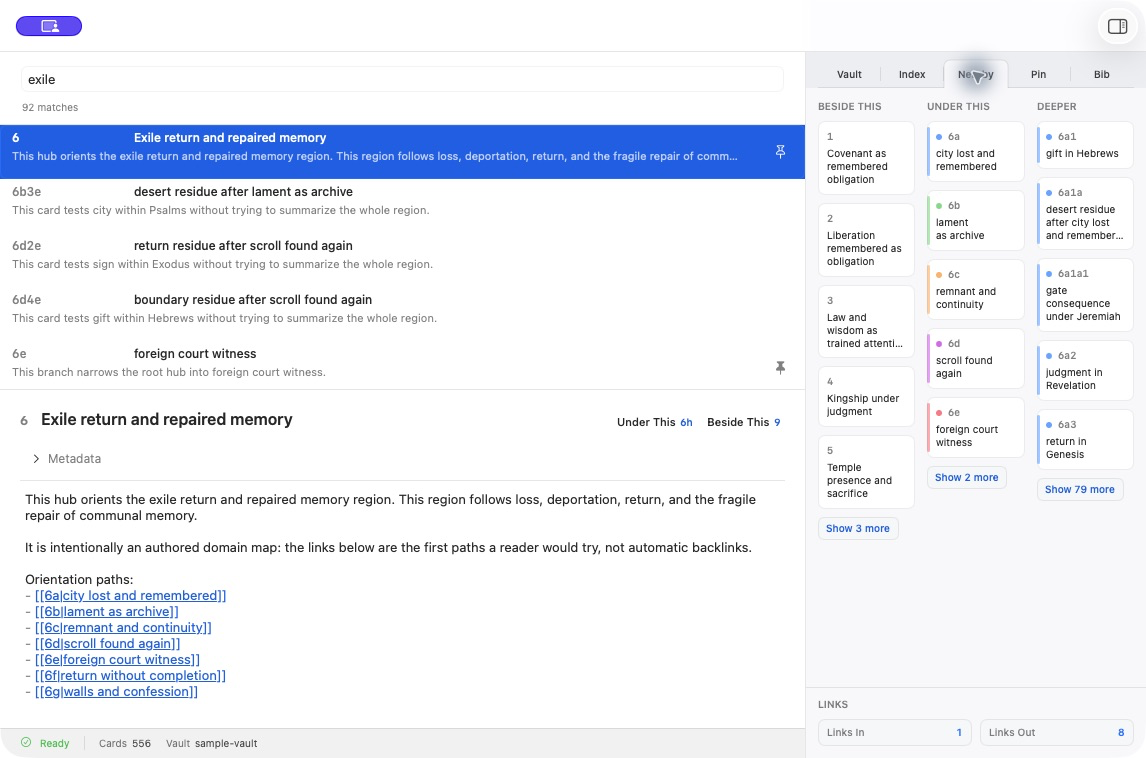
Folgezettel neighbourhood
See what stands beside a card, what develops beneath it, and where its deeper branches lead. Authored incoming and outgoing links remain visible without replacing the Folgezettel structure.
See the whole
Map structure without flattening it.
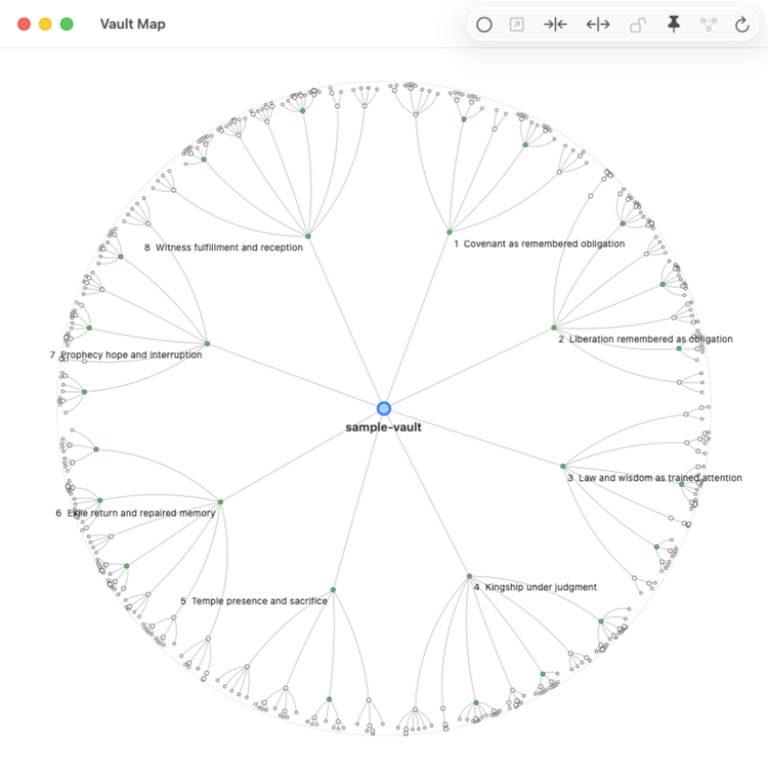
Vault Map
Explore a substantial Zettelkasten without flattening it into a cloud of backlinks. The map preserves roots, branches, and local structure even as the sample vault grows to hundreds of cards.
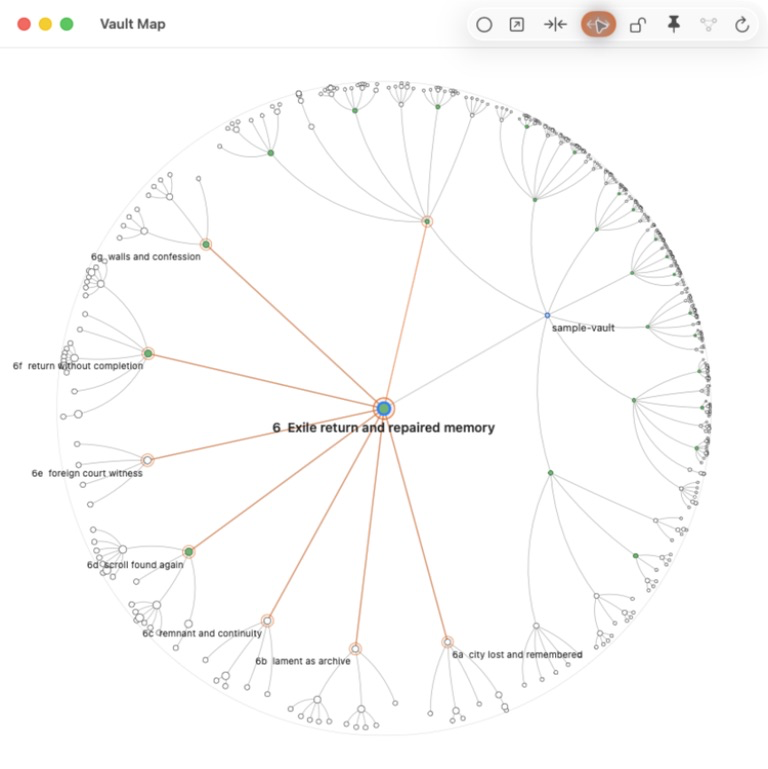
Authored links on the map
Reveal the deliberate jumps written into a selected card. The highlighted links show cross-connections alongside the card’s structural place in the box.
Keep the routes back
Sources, indexes, and working context stay distinct.
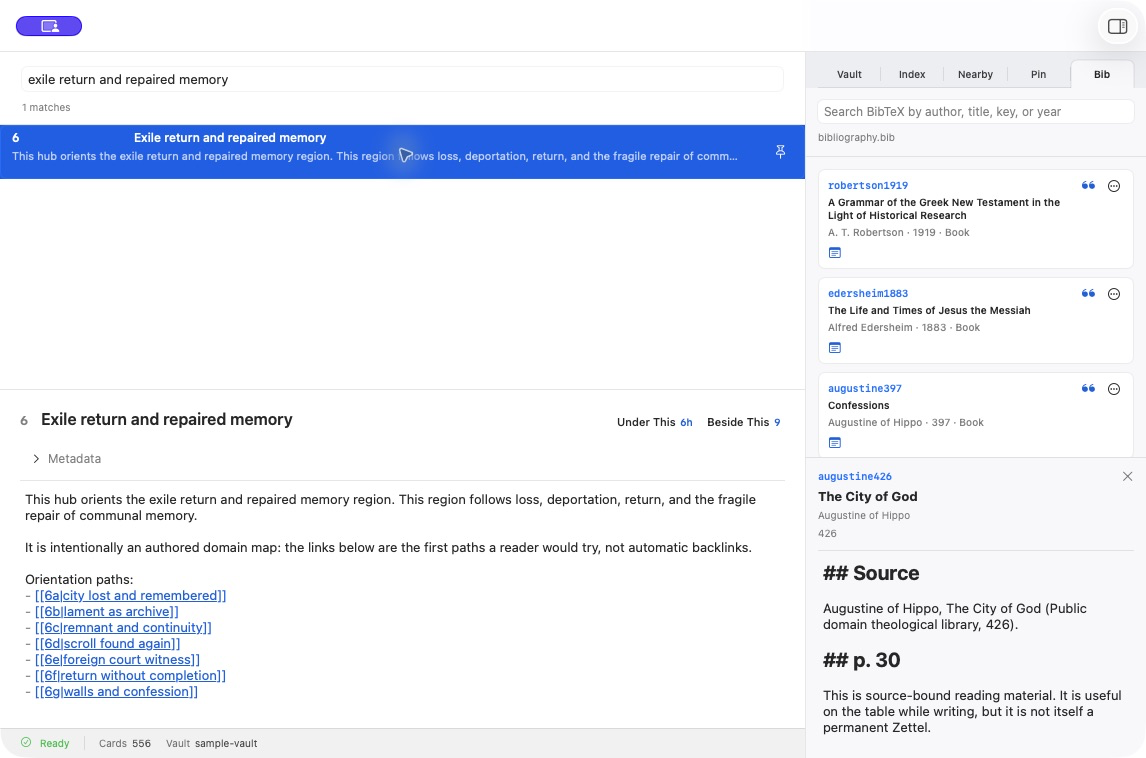
Bibliography and literature notes
Keep a permanent card beside its BibTeX source and source-bound reading note. Citations preserve the route back to the evidence without turning the literature note into a Zettel.
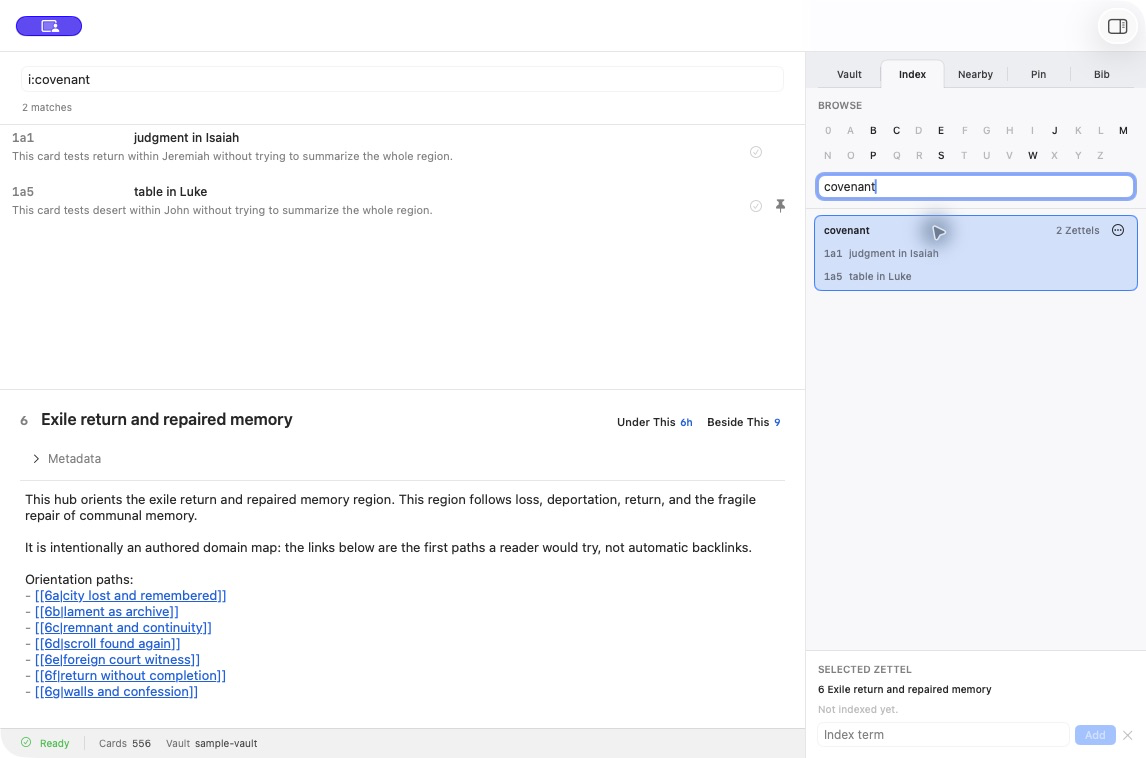
Curated Index
Build deliberate routes into the box with an authored alphabetical index. Selecting a term immediately reveals the Zettels filed under it.
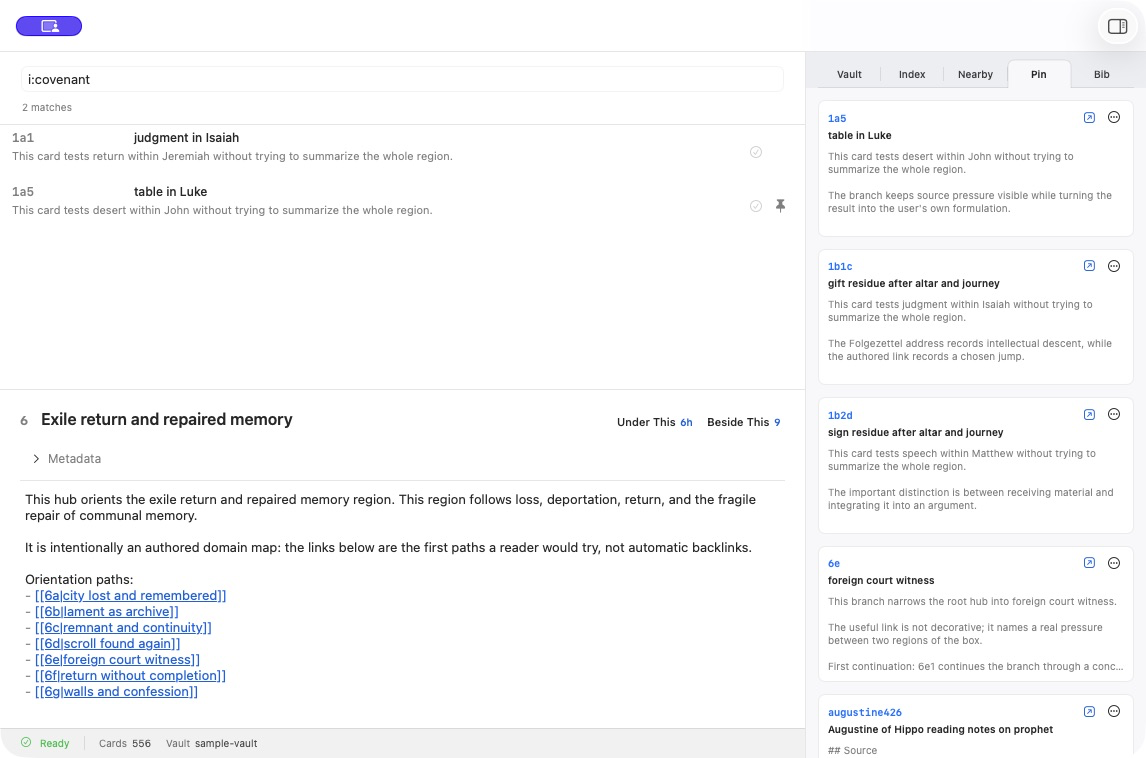
Pinned working context
Keep several permanent cards and literature notes on the table while working elsewhere in the box. Pins provide a temporary research context without changing the vault’s structure.
Develop and maintain
Turn connected notes into work you can trust.
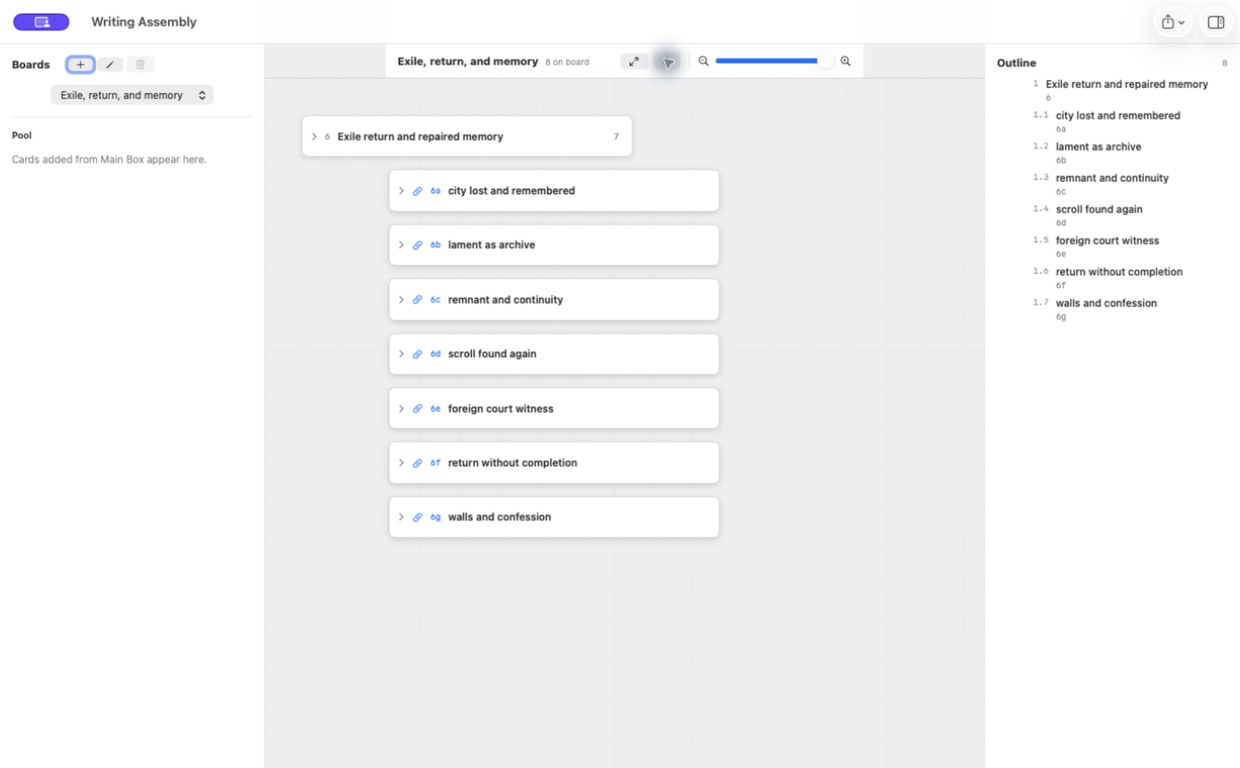
Writing Assembly
Arrange selected cards into an argument while preserving their relationships. The board supports spatial thinking, while the outline turns that arrangement into a readable sequence.
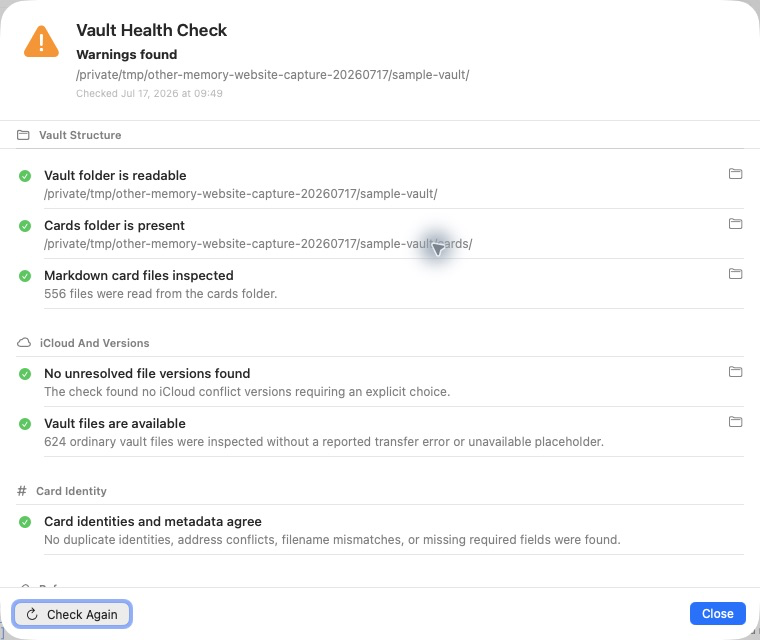
Vault Health
Check the canonical files directly for availability, identity conflicts, broken links, bibliography problems, and stale derived state. The report diagnoses the vault without silently rewriting it.
The free iPhone companion
Capture, consult, and continue.
The phone keeps the mobile boundary deliberate: capture and source work can begin anywhere, while permanent placement and the full intellectual workbench remain on the Mac.
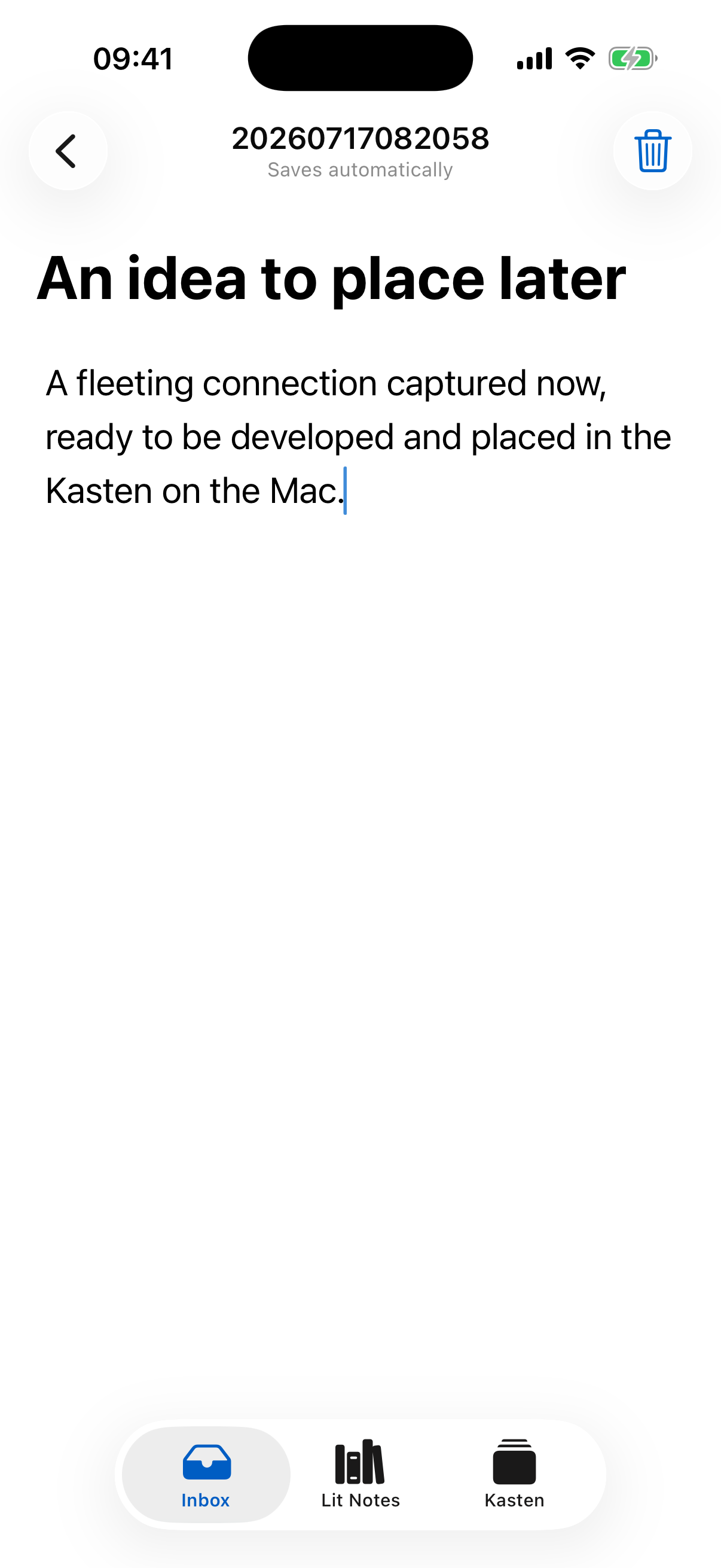
Capture to the Inbox
Record an idea before its proper place is known, including while offline, then develop and place it on the desktop.
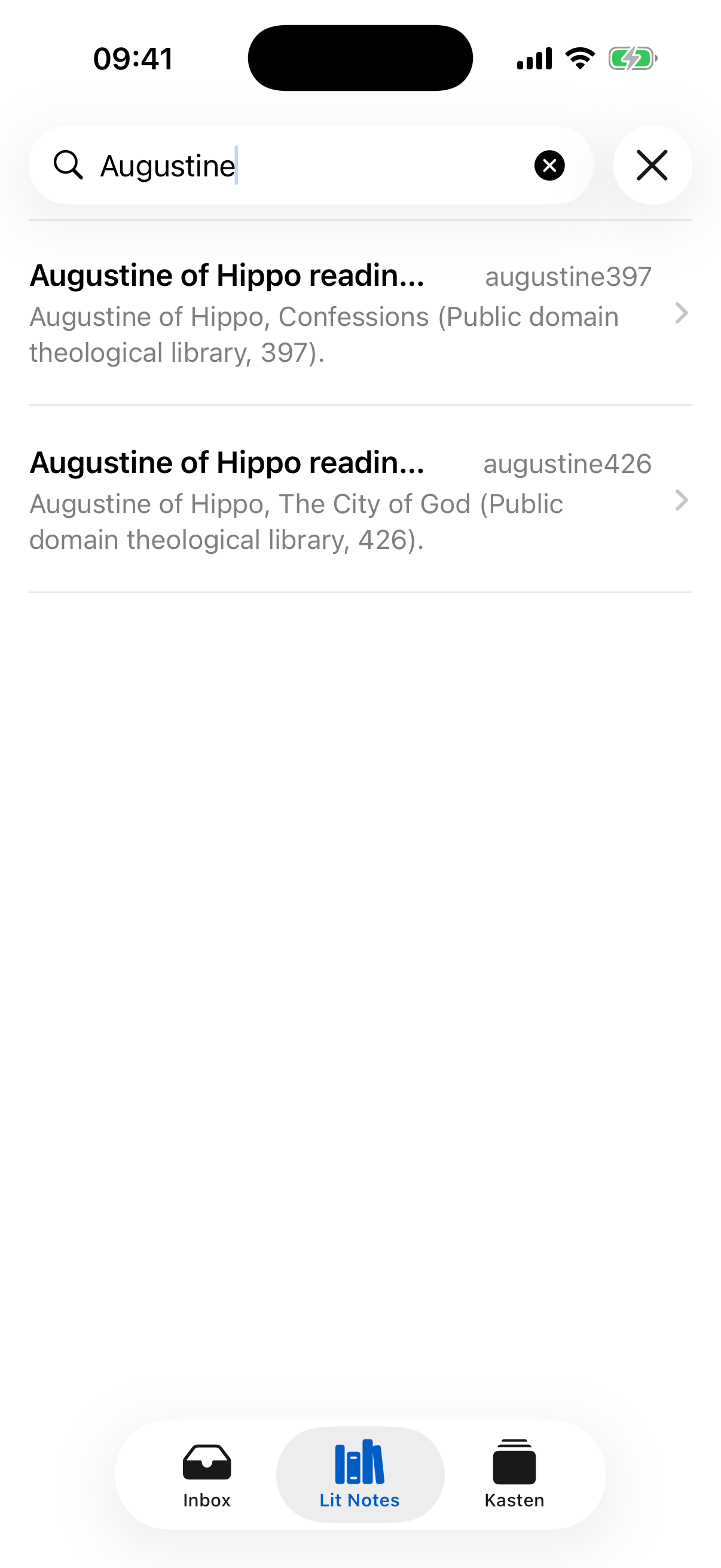
Literature notes on iPhone
Carry citekey-bound reading notes and keep source material distinct from permanent Zettels.
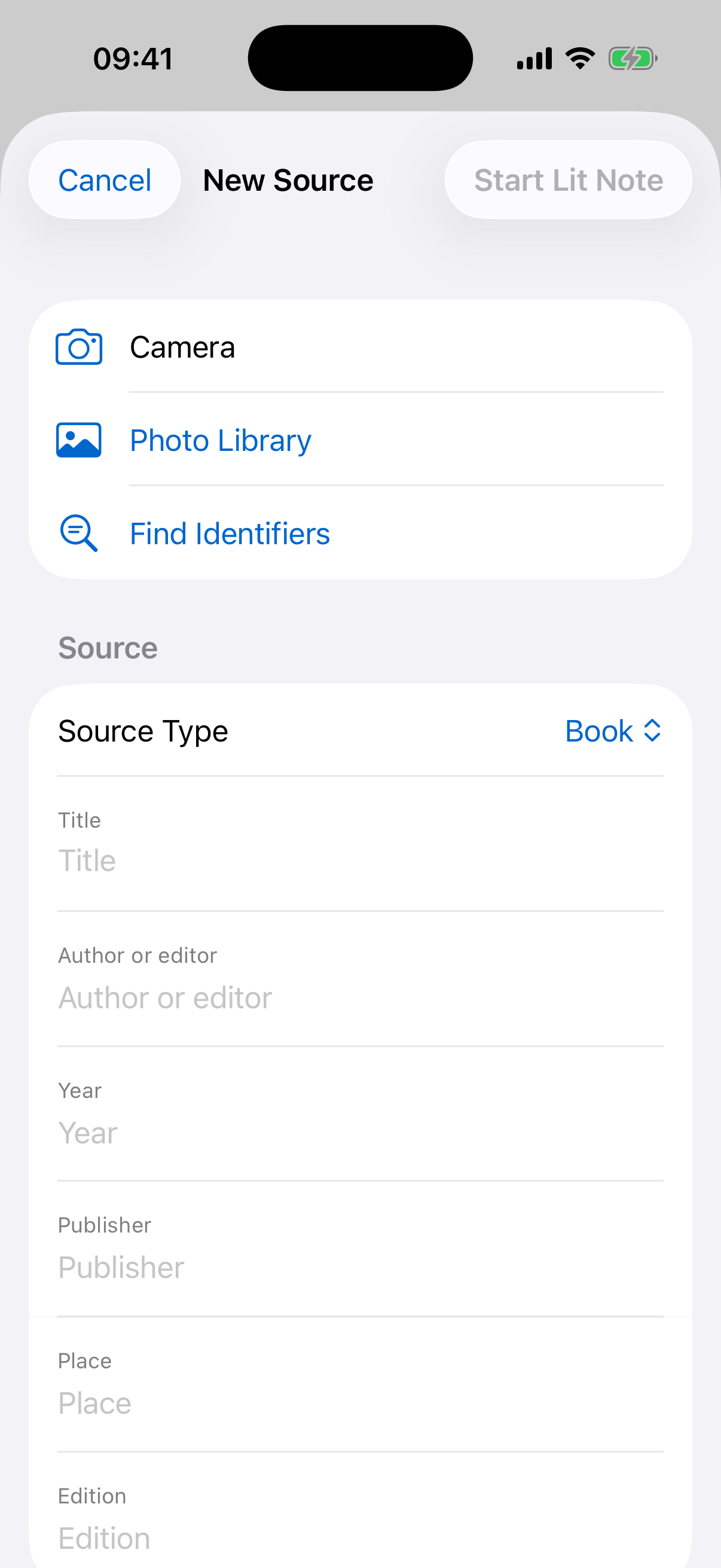
Capture a source
Start a literature note from a photograph or bibliographic details, then hand the source cleanly back to the desktop bibliography.
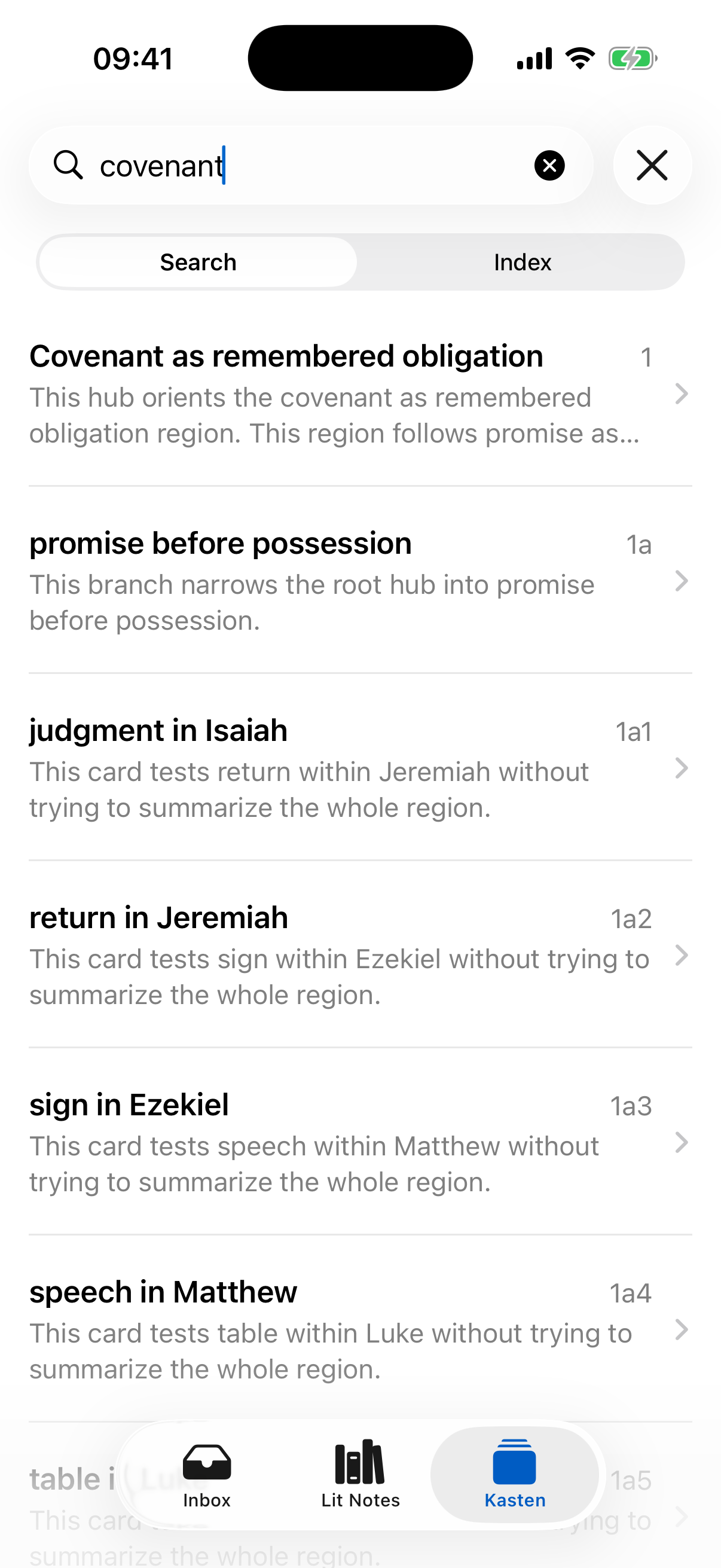
Search the Kasten
Search placed Zettels by address, title, or text without mixing in unplaced captures.
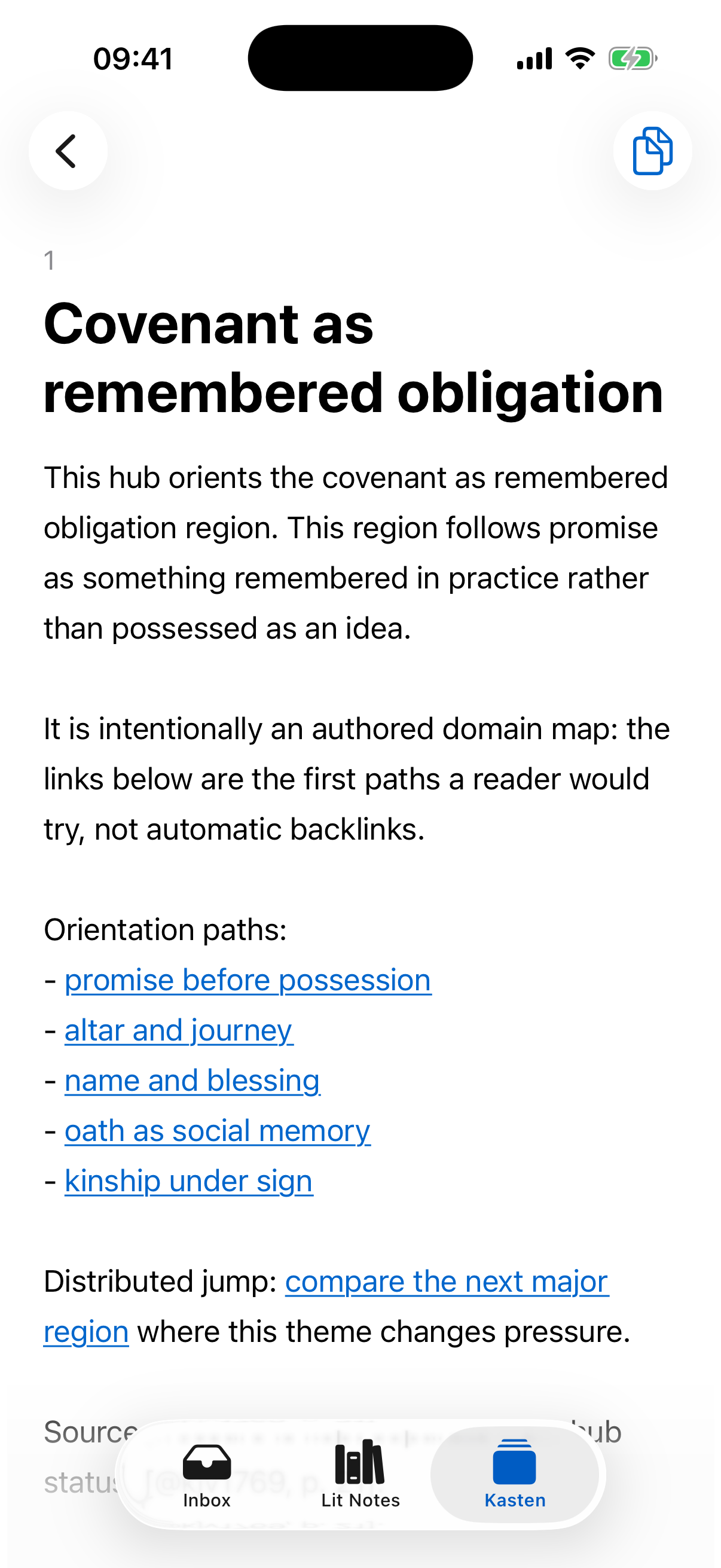
Read and follow links
Read a permanent card in a phone-sized layout and follow its intentional links without reproducing the desktop workbench.